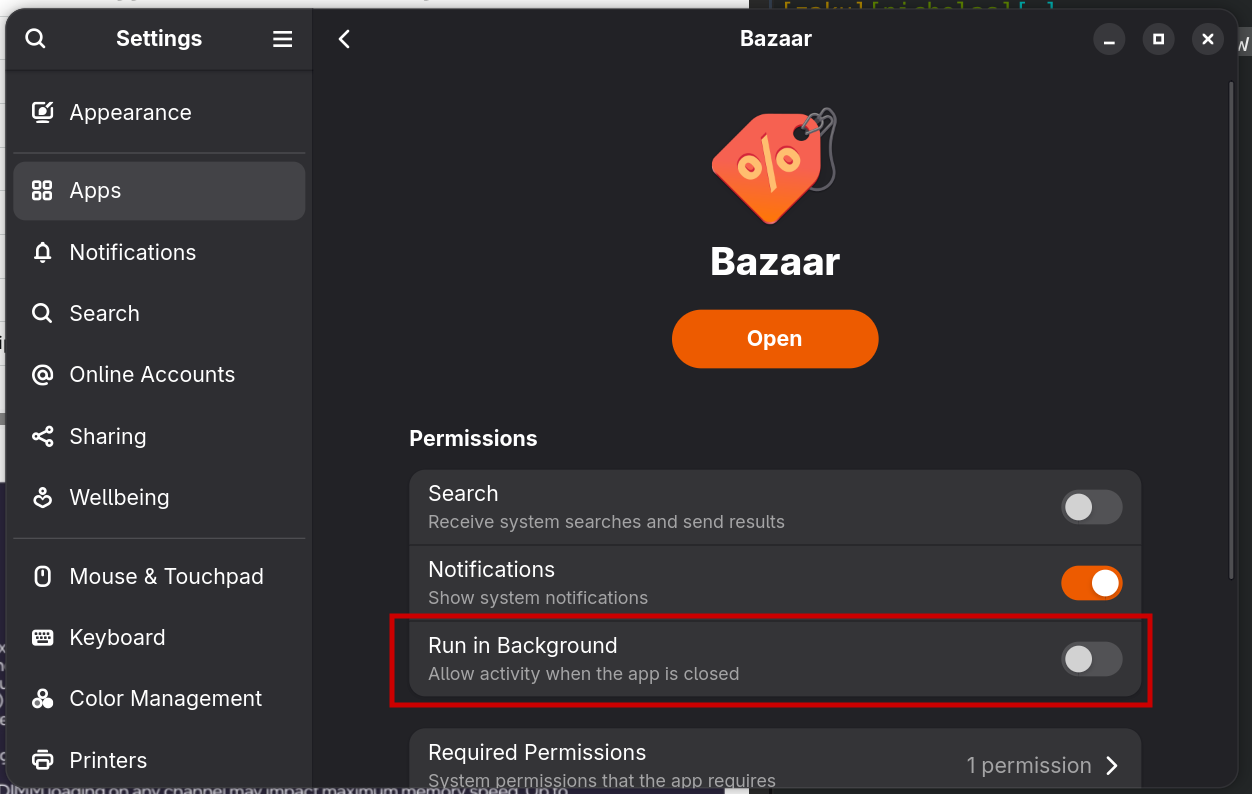
The new bazaar app store is great, and I like it much better than Discover, which was so bad.
But every now and then I’ll catch bazaar running in the background using a lot of CPU. Just a few minutes ago, I opened up System Monitor and spotted a “bazaar-hotfix” process at the top of the list using 11% CPU, even tough I never opened it.
I assume it’s just checking for updates or something like that, but I can’t seem to find a way to disable it. I do not want automatic updates, nor do I want it to run unless I launch it. Is there a way to do that?
Just had a new system update which updated Bazaar as well but the issue still persists. Bazaar and bazaardlworker processes still remain running in the background.
Seeing as the question was never actually answered and I agree with OP about not wanting Bazaar in the background always running here is the fix:
There is a global systemd service, that runs in the user context, which launches the the bazaar background service on login. Disable this by running the following:
It looks like cron isn’t installed in bluefin by default so no need to review all of those potential timer locations but feel free to double check that on your system.
Lastly whenever you want to update you can just run ujust update on whatever schedule you desire. This seems to handle the OS, Flatpak, and Brew.
If anyone is wondering why Bazaar runs in the background in the first place: It’s apparently necessary for the Bazaar search results in GNOME shell (Bazaar implements the org.gnome.Shell.SearchProvider2 D-Bus interface).
So, following the previous post’s steps to disable Bazaar running in the background has the side effect of no longer offering uninstalled Flatpak apps as a search result category in GNOME Shell.
System flatpaks are updated by uupd.service every 6 hours.
User flatpaks (there are none installed by default) are updated by flatpak-user-update.service once a day.
# to list active timers
systemctl list-timers
systemctl --user list-timers
Just a quick information. If you want to properly close Bazaar, click the hamburger menu icon and click “Quit Bazaar” or its keyboard equivalent “Ctrl+Q.” This makes Bazaar close fully. You can check system monitor and see for yourself.
Any other way and it keeps running in the background
One thing I can think of is so that you don’t accidentally abort a download or installation by clicking the ‘X’ icon by mistake. Or maybe it has to periodically update repositories etc. I’m not a maintainer so I wouldn’t know, but at the very least it will run quicker. Each time you cold-start Bazaar it checks repositories etc. which takes a few seconds for example.
For a regular user, this would make no noticeable impact and I probably would’ve made the same choice if it was up to me. But at the same time I know it’s annoying to users who are sensitive to this type of stuff (like me).
This applies to every app: keep it running in the background and it will start faster. That cannot be a justification to keep this app running. It would give every app developer justificiation to always keep their apps running..
If anything it should be closing by default and if processes are still running, just show a popup that its currently installing/uninstalling, can’t close now.
Yes please can we get Bazaar to close fully when the app is closed. If it doesn’t need to run in the background it shouldn’t. Or should be a toggle in it’s settings.