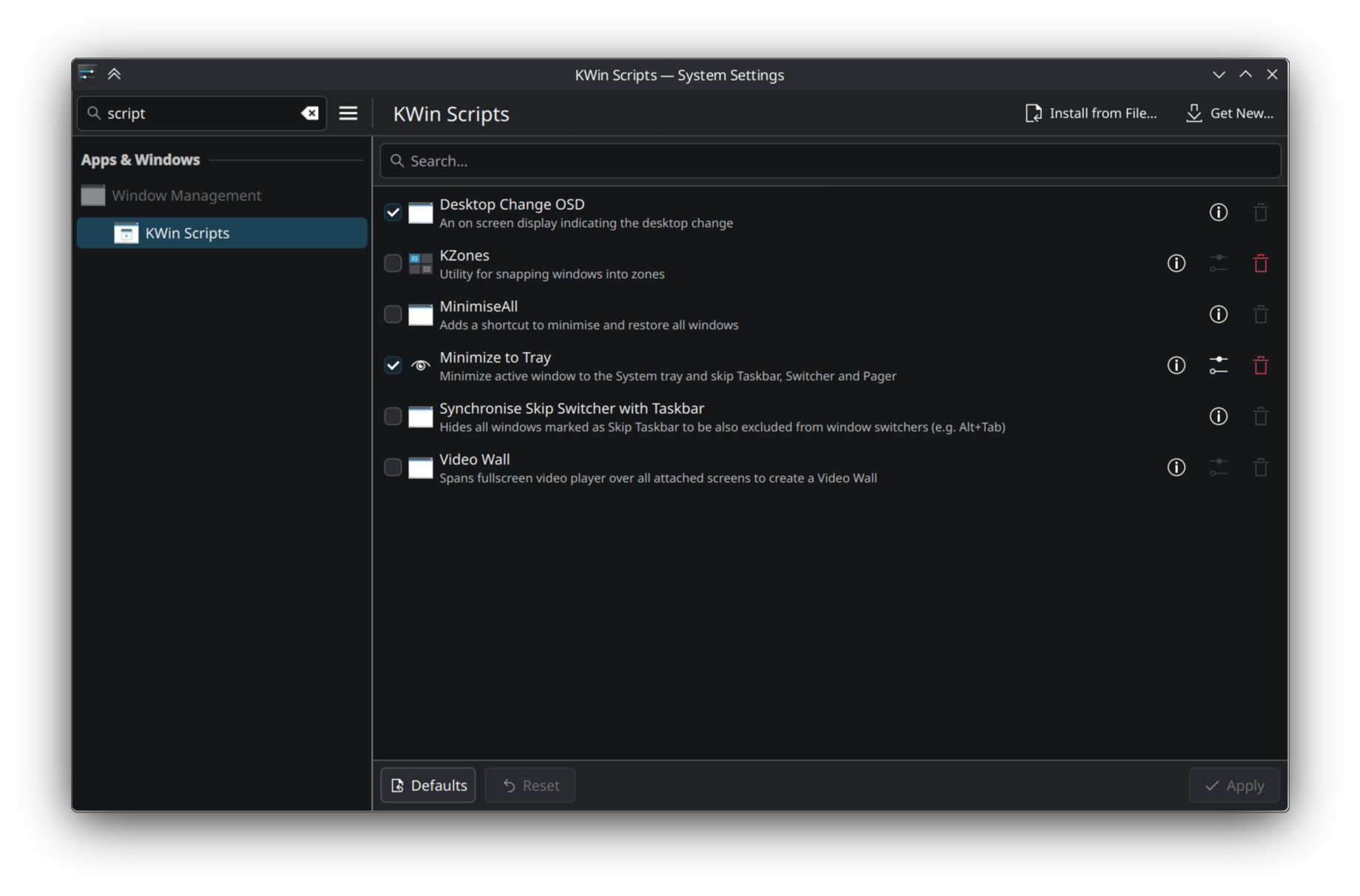
I have now been using Bazzite for a while and am very happy with it (except sometimes when turning on my PC screen just stays black/no signal and I have to reboot the system again; I have dual boot with windows 10 but straight away boot into Bazzite atm; maybe someone knows why this is happening?), but would really like to be able to decide which apps minimize to taskbar and which ones to the tray/notification area (usually apps that run in the background/don’t need interaction).
For example I use LACT, but it can only minimize to taskbar and just takes away space.
Any simple solutions where I don’t have to go search for dependencies etc.?
It’s possible with the aptly-named kwin-minimize2tray, but you will have to compile it yourself. I managed to get it working literally just now, so I still have the steps fresh in memory. I can’t say whether it runs well yet, mind. Just that it seemingly works.
I built it using a Fedora distrobox and I’ll assume you have one too. I do not recommend a distrobox with Arch here since their Qt libraries are more recent than ours, and thus the compiled files won’t work.
The author has made it relatively easy to compile and install this with the install-immutable.sh script, but no, it’s not as easy as it would ideally be.
This is incidentally one of the strengths of Arch Linux with the Arch User Repository (AUR). Users can add unofficial package “recipes” to that repository, and then you use a normal terminal tool to just say “download this, install whatever is needed, build it for me and install it please”. It become a package installed next to any other package from the official repositories.
This project surprisingly isn’t on the AUR, which is a shame.
Sadly I don’t know how to make Fedora packages, much less ones that build something from source. Writing a script that performs all the commands in sequence is trivial though, if you want that.
edit: I forgot. It’s working well with a single bug that spams the logs a bit when you disable and re-enable the script to apply changes you’ve made. I reported it but it seems to require a fix in KDE itself. I ended up not using the script too much as I ran out of use-cases. I originally used it to tray-ify a LINE window, but I noticed I kept looking for the icon in the normal task manager anyway. Maybe I didn’t give it enough time.
At least as of right now I am not aware of any alternative to this.
I was bored. This should work. Tested in a Bazzite virtual machine.
#!/bin/bash
# https://universal-blue.discourse.group/t/minimizing-apps-to-tray-notification-area/10926
CONTAINER_NAME="${1:-kwin2tray}"
CONTAINER_IMAGE="ghcr.io/ublue-os/fedora-toolbox"
SOURCE_HOME_DIR="${2:-$HOME/Source}"
if [[ ! "$CONTAINER_ID" ]]; then
echo "[*] on host"
echo
distrobox create --yes --image "$CONTAINER_IMAGE" --name "$CONTAINER_NAME" || exit $?
distrobox enter "$CONTAINER_NAME" -- "$0" "$@"
retval=$?
echo
[[ $retval = 0 ]] && echo "[*] success" || echo "[!] failed"
echo
echo "'distrobox stop $CONTAINER_NAME' to stop the container"
echo "'distrobox rm $CONTAINER_NAME' to remove it"
echo "'rm -rf $SOURCE_HOME_DIR/kwin-minimize2tray' to delete source files"
echo
exit $retval
fi
###############################################################################
set -ue
GIT_REPO_URL="https://github.com/luisbocanegra/kwin-minimize2tray.git"
PLASMA_ENV_PATH="$HOME/.config/plasma-workspace/env"
QML_PATH_EXPORT='export QML_IMPORT_PATH="$HOME/.local/lib64/qml:$HOME/.local/lib/qml:$QML_IMPORT_PATH"'
DEPENDENCIES=(
"g++"
"extra-cmake-modules"
"libplasma-devel"
"kf6-kstatusnotifieritem-devel"
)
echo
echo "[*] now in container"
echo
sudo dnf update -y
sudo dnf install -y "${DEPENDENCIES[@]}"
mkdir -p "$SOURCE_HOME_DIR"
cd "$SOURCE_HOME_DIR"
[[ -d "$SOURCE_HOME_DIR/kwin-minimize2tray" ]] || git clone "$GIT_REPO_URL"
cd kwin-minimize2tray
./install-immutable.sh
mkdir -p "$PLASMA_ENV_PATH"
echo "$QML_PATH_EXPORT" > "$PLASMA_ENV_PATH/qml_path.sh"
exit 0
Save it to a file, make it executable, then run it in a terminal withoutsudo. I can’t automate adding the global shortcuts, sadly, so that still has to be done manually.
It may take a while to complete, depending on how in-sync the container image is with the Fedora repositories.
Downloading and executing scripts you find online written by randoms is very bad practice. Trying to convince you that this one is safe would just be doubly suspicious. Trust me, or don’t.