I’ve searched the forums and online but it may be due to the choice of words I am using, but I cannot find any information on this.
I know that in Linux Mint, you can quite easily choose to have the window control icons (minimize, maximize, and close) to the left side of the window’s bar. How do I accomplish this in Bazzite?
I’ve combed through the Window Decoration settings and theme settings, but cannot find anything that would allow me to have a “macOS-like” experience where the control icons are on the left side.
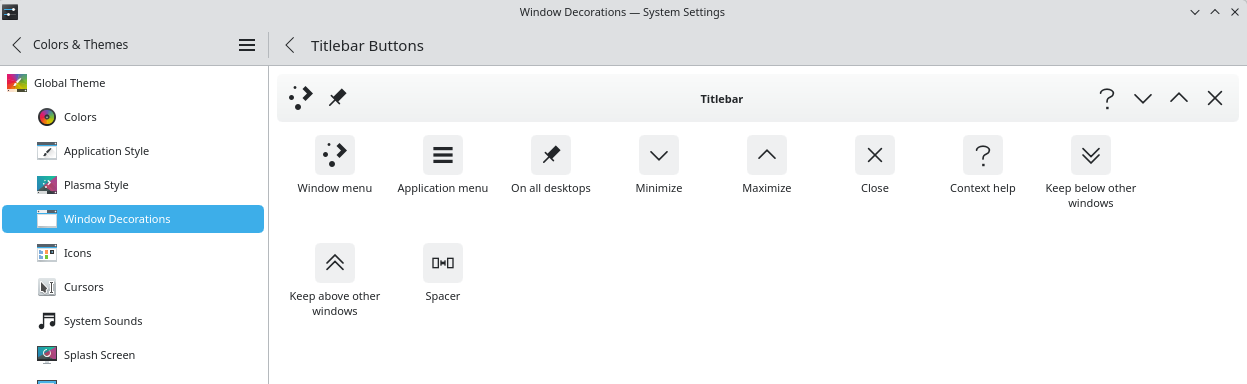
If you are using Bazzite with KDE, go to System Setting → find Window Decorations → Configure Titlebar Buttons and you will be able to rearrange buttons. This will be valid for KDE native applications but probably not for Gnome and other non KDE applications.
I’ve been here (at this submenu) before, but it wasn’t immediately clear to me what I was supposed to do.
Because of your post, I decided to keep poking at this until I realized there’s a “demo title bar” between the actual title bar of this menu, and the icon collection - figured it out eventually.