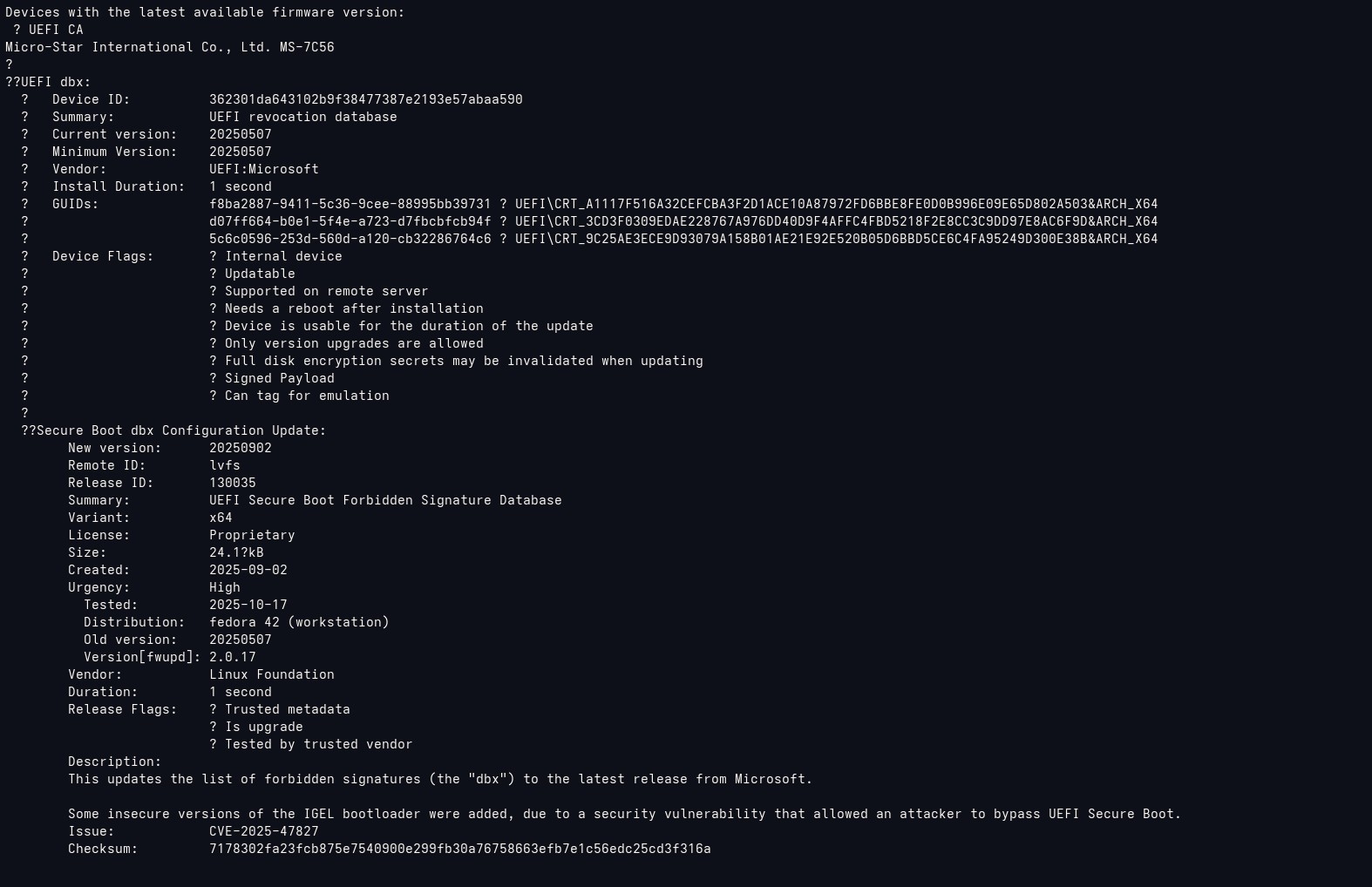
Today I got this firmware update when I ran the system update tool:
So I thought a firmware update was performed and restarted the system, but when I run the system update tool this text is still there. I am not sure if I need to perform something else to get the update installed. Do I need to do something else here? Should I be worried? Sorry I really couldn’t make a sense of what this is trying to tell me and don’t want to miss a critical security update.
Thanks a lot in advance.
Installed “Firmware” app on Bazaar and that one showed new updates for “EUFI dbx” so I updated to the last version and this warning message went away. I don’t know why system update couldn’t update to it but I think all is good now.
As you can tell from the screenshot above, newest version is 20250902 but CLI couldn’t update to it for some reason (I might’ve missed a Y/N prompt idk). The GUI app successfully applied the update though and the version shows 20250902 as you can see below.
I update all my firmware exactly the same way through Firmware flatpak app. But I would really like my firmware to be updated automatically (like most Dell, HP and Lenovo Thinkpad computers do through Windows Update). This is the reason I now buy only LVFS-compatible computers like Framework. So if you ever to find a way to enable automatic firmware update, please let me know. So far Google says nothing.
You can also run the fwupdmgr upgrade command from the terminal. Fwupd is already included as a part of universal blue. This will update firmware without having to install the flatpak separately. I too wish this was an automatic process…and I think in the past it was…perhaps due to some issues that could possibly occur it is no longer automatic. There could be certain issues/implications if you are using a dual boot with windows 11.
Yes, that command runs automatically when you run System Update already. Unfortunately it doesn’t automatically update the firmware. That’s the problem in the first place  Only the GUI app actually updates it for some reason.
Some firmware updates come with very specific instructions that are hard to automate
I’ve had some updates require me to wait 2 minutes and then unplug the power completely, if I only reboot then the firmware is not committed or it is rolled back or something
And there are other updates that have a risk of bricking the device if interrupted
This is probably why the update process is manual