The NUMLOCK does not work at system start, no matter what I try. Every restart the NUM key is deactivated. It is set in BIOS. No clue where to start to solve this, any ideas?
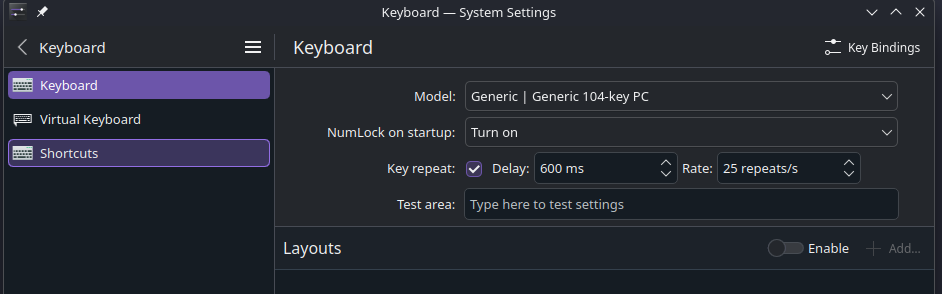
Is there a way to have it on before reaching the desktop session? No matter what I try, it will always switch back off when I end a session to go and login as a different user, and all my users have numbers in their passwords.  This worked in Gnome, so I’m sure it’s not my nb.
Yes, I have the same question. Thanks for the trick in the system settings that works nice after login, but could we have the numlock on on the login screen ?
In System Settings, go to ‘Login screen (SDDM)’ under ‘Colors & Themes’ and click on ‘Apply Plasma Settings…’ at the top right corner and confirm apply.
@jcheynet it only let me mention two users so here’s your mention to see this
Fantastic, that made the trick ! Thanks a lot.
It worked, thank you
Thanks, as a new Bazzite user I quickly found the num lock option in the Keyboard settings but to guess that it should be applied to the Login screen this way…