Kernel panic after power outage

Steps to reproduce:

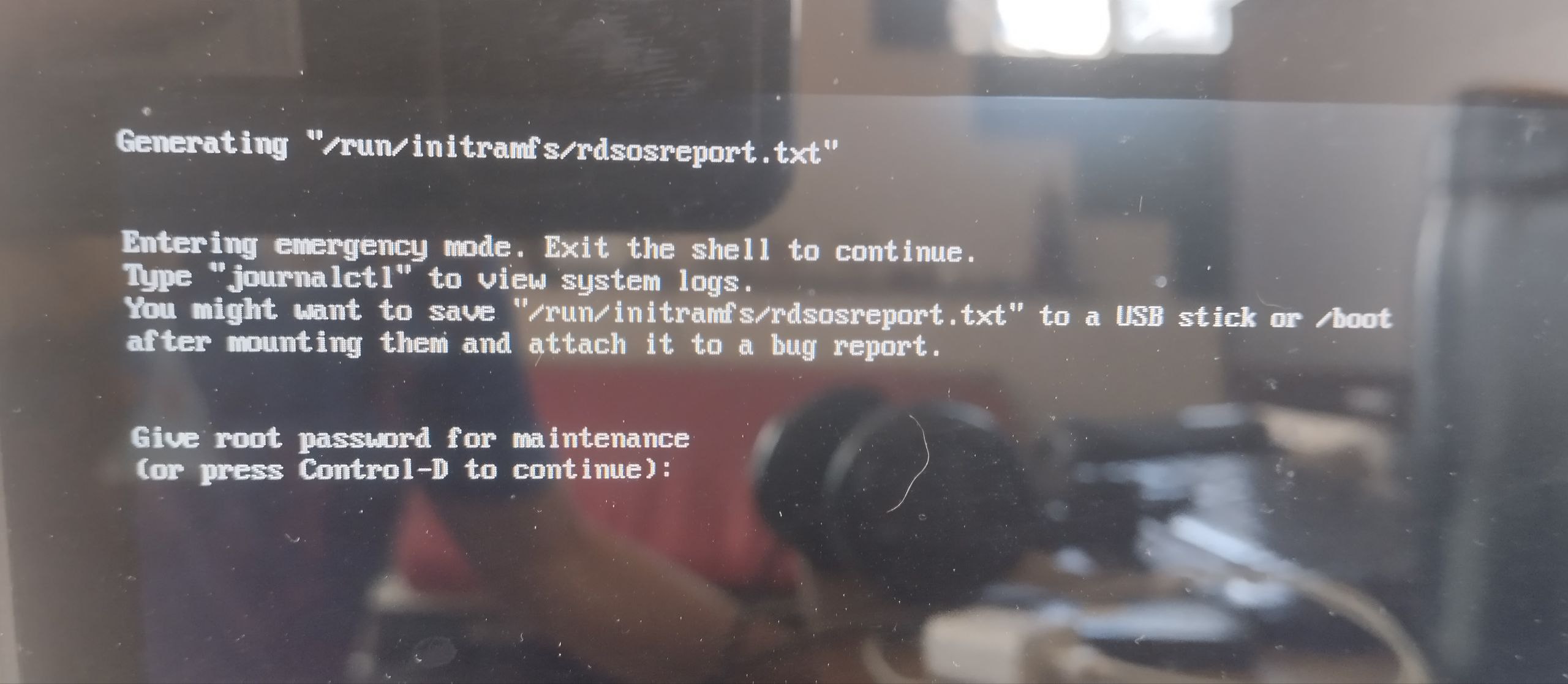
Sudden power disconnect while browsing the internet, laptop has no battery, immediately shuts down. After the power comes back, PC starts with bugs, no write permissions over /home, reboot, kernel panic.

Seems to be a Fedora Silverblue issue.

Have you managed to rollback/rebase?

none of the distro-related commands were available there, I just installed from zero, but it is still a concern for the future, it can happen again

I tried to reproduce this bug on Nobara and it happens there too, so it is not a Fedora Silverblue issue. The error message is the same. The PC was doing nothing at that moment.

(on a raw mutable Fedora Workstation it does not happen)

1 Like

That’s the BTRFS bug that is wrecking people.

1 Like

Where should I ask for a solution? Directly with Fedora devs at Github? Having power outages is a common daily problem in my country. And this is destroying my system each time.
You should propably get yourself an UPS to protect yourself from outages.

Now excuse me but this is not the right type of answer to this problem.

okay? What would you like us to do then? We can’t really control if the filesystem breaks itself

That would propably be a kernel dev stuff, if even possible.

I managed to fix that bug by running fisk

I had the same bug because Bazzite crashes so much and I managed to fix it using
fsck.btrfs

play around with fsck.btrfs I dont remember exactly what arguments I gave but I can say that your system is 100% salvageable and I was able to recover from it. and not lose any files.

you have somekind of hardware fault, proapbly your ram or ssd. Or your filesystem is borked

Me or the other guy?

I have a really good feeling that its a lack of ram.

My computer can stay on for days doing stuff and Ive never had file corruption or ram issues. I can run a memtest but Ive been using this pc for a good while on pop os since late 2023 and never really had crashes like this until after I switched from bazzite.

  • Besides Memtest86 can you reccomend me some good diagnostic tools. My UEFI vendor for my motherboard did not include the basic function of diagnostics. Wish there was like a all in one diagnostics utility that can be flashed onto usbs

btrfsck

thats the command. use its repair mode.

You won’t lose data because the way the thing is damaged is different from the scenerios where it can destroy data.

I did it and if that does not work I think there was another command ill try to find it but im 99% sure thats all you need to run. And after a reboot your computer will start up just fine with all your files and everything in tact.

If your scared of running that command because of the “Dangers” You can try this random dudes solution which does not use any dangerous commands but again, I didn’t use it so I cant say it helped me.

btrfs rescue zero-log /dev/whateverdevice

1 Like

if that did not work make sure to tell me because I got another command you can try.

Thanks. Next time I got this problem I will try that solution, for now it stays with an ext4 filesystem fresh install. Seems to be a hardware issue.

1 Like

doubt it is. That emergency shell appears 99% of the time because

*You set the wrong grub options

*You force shut off one to many times and the disk got corrupted a bit.

I say corrupted but really its corruption that is 100% recoverable and does not cause any data loss.

1 Like

This happened to me after my computer battery ran down. I went to the Control D, decided to just reboot. It rebooted normally.

Mine definitely was not lack of ram or anything other than me just not plugging in the computer to charge and the battery ran down.